
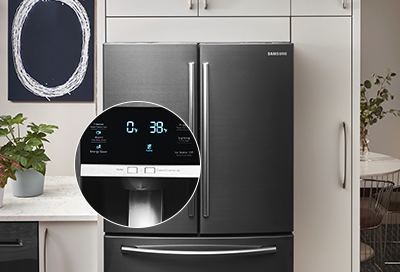
In this guide, we address the common issue of a Samsung ice maker not dropping ice. If you’re experiencing this problem, you’re not alone. Many Samsung refrigerator owners encounter this issue at some point. We’ll walk you through the troubleshooting steps to identify and resolve the issue effectively.
Understanding the Problem
When your Samsung ice maker stops dropping ice, it can be frustrating, especially during hot summer days or when entertaining guests. Several factors could cause this issue, including:
- Clogged Ice Maker: Over time, the ice maker’s components can accumulate debris or ice buildup, hindering its operation.
- Faulty Components: Malfunctioning parts within the ice maker, such as the ice maker assembly or motor, can disrupt the ice-making process.
- Temperature Fluctuations: Inconsistent temperature settings in the freezer can affect ice production and release.
Troubleshooting Steps
Step 1: Check for Ice Blockages
- Open the freezer compartment and locate the ice maker.
- Inspect the ice bin for any clumps or blockages of ice that may be preventing the ice from dropping.
- Remove any obstructions carefully to allow the ice maker to function properly.
Step 2: Clean the Ice Maker
- Turn off the ice maker by flipping the switch or unplugging the refrigerator.
- Remove the ice bin and any accessible components of the ice maker.
- Use a soft brush or cloth to clean the interior of the ice maker, removing any debris or buildup.
- Rinse the components thoroughly with warm water and allow them to dry completely before reassembly.
Step 3: Verify Proper Installation
- Ensure that the ice maker is installed correctly according to the manufacturer’s instructions.
- Check for any loose or disconnected connections, such as water supply lines or electrical connections.
- Tighten any loose fittings and secure all connections to prevent leaks or interruptions in ice production.
Step 4: Adjust Freezer Temperature
- Check the freezer temperature settings to ensure they are set to the recommended level for ice production.
- Avoid setting the freezer temperature too low, as this can cause ice to freeze together and impede the dropping process.
- Adjust the temperature settings as needed and monitor the ice maker’s performance.
Conclusion
By following these troubleshooting steps, you can effectively address the issue of a Samsung ice maker not dropping ice. Remember to perform regular maintenance on your refrigerator and ice maker to prevent future problems. If the issue persists despite your efforts, consider contacting a professional appliance repair technician for further assistance. Don’t let a malfunctioning ice maker ruin your enjoyment—take action today to restore its functionality and keep the ice flowing smoothly.